> ## Documentation Index
> Fetch the complete documentation index at: https://docs.davia.ai/llms.txt
> Use this file to discover all available pages before exploring further.
# Overview
> Davia is a workspace composed of interactive documents. Pages that mix text, data, whiteboards, and AI-generated components.
export const ChatIcon = () => {
return ;
};
## Davia pages are "living documents"
They follow a unique architecture combining editable content with interactive components.
Each page is self-contained: it holds your content, your interactive components, whiteboards, and your data. Think of it as **a document you can read, edit, and interact with**.
This is a new authoring paradigm: code is generated and compiled on the fly as you work. Describe what you need and the page can become anything, from custom UI to logic and data flows, without fixed blocks or rigid templates.
## A single hub for creating, using, and sharing interactive docs
### All your documents in one workspace
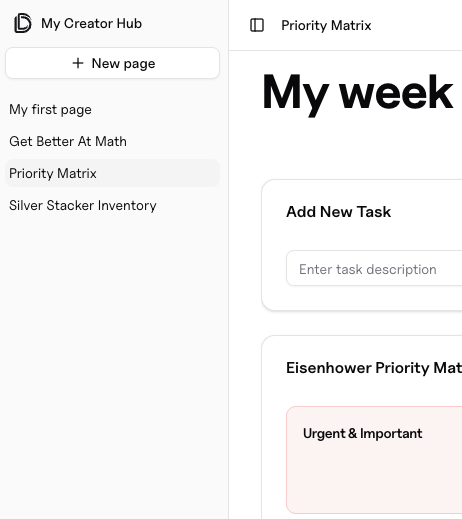
Whether you have a page with multiple components or just notes, each one of
them is accessible in the tree on the left side of your screen.
Your can create new pages, insert subpages in a current one or
rename it. All in all, your **workspace behaves like a filesystem**.
All your pages are aggregated in your **workspace** which serves as your **internal document hub**.
### Create, edit documents and navigate your workspace using the agent
**In the cloud:** Davia's assistant can create or edit your pages through
natural language. Access in right sidepane with command ⌘K or by clicking on
the icon on the upper right.
**Locally:** Use your coding agent to create and edit pages. Simply describe
what you want, and it will build it for you.